How Long Does WhatsApp Business API Approval Take? What Businesses Can Expect
How Long Does WhatsApp Business API Approval Take? What Businesses Can Expect
One of the most common questions businesses ask before implementing WhatsApp automation is: How long does WhatsApp Business API approval take?
The good news is that approval is often faster than many businesses expect. However, the exact timeline depends on factors such as business verification status, account setup accuracy, and the provider you choose.
In this guide, we’ll explain the typical approval process, expected timelines, and how you can avoid delays.
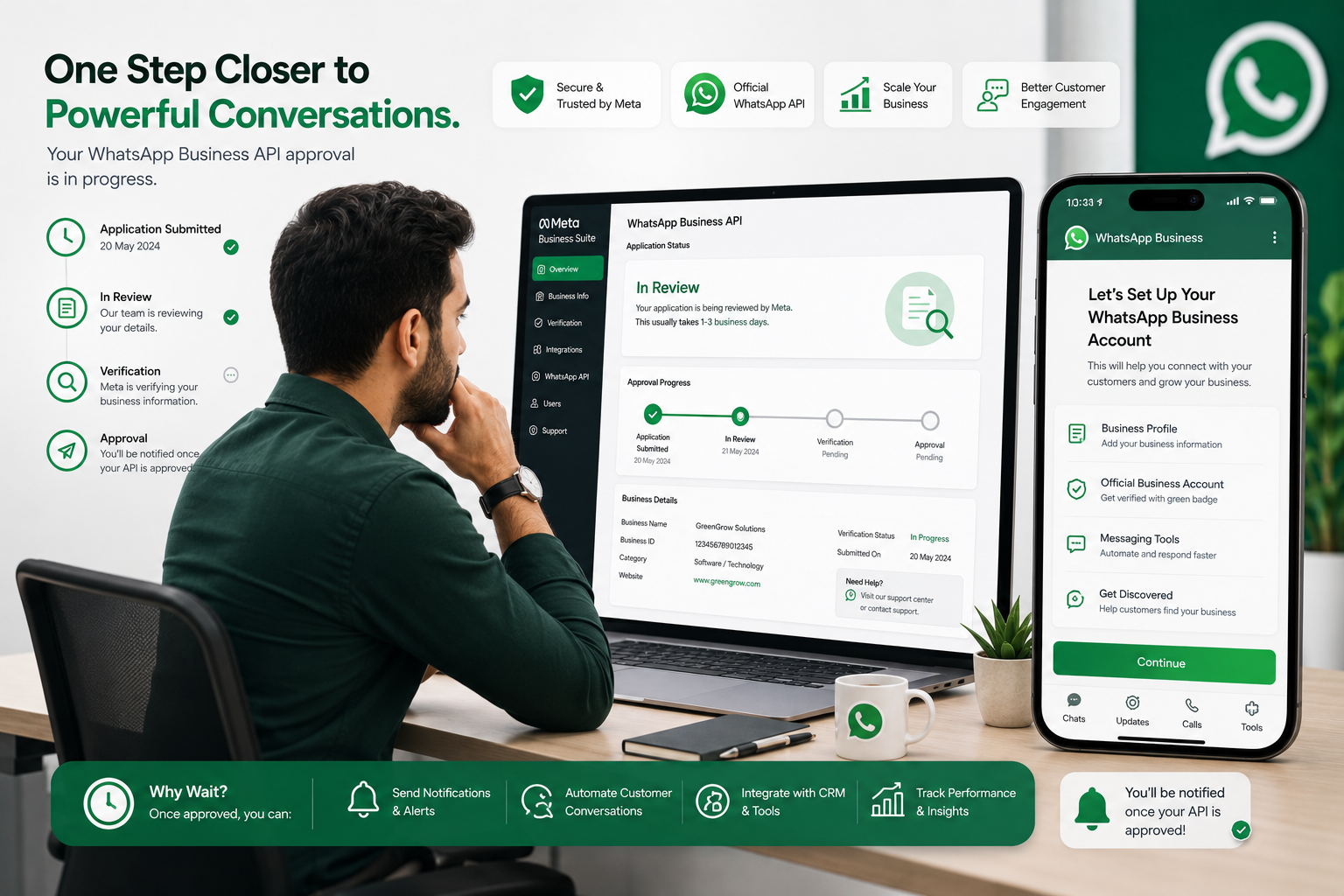
Typical WhatsApp Business API Approval Timeline
For most businesses, the process can take anywhere from a few hours to several business days.
A typical timeline looks like this:
- Business account creation: A few minutes
- Meta Business verification: 1–5 business days
- WhatsApp Business Account setup: A few hours to 2 days
- Phone number verification: Usually completed within minutes
- Message template approval: Often within minutes to 24 hours
If all required information is submitted correctly, many businesses can start using WhatsApp Business API within a few days.
What Does the Approval Process Involve?
The approval process generally consists of several steps.
1. Create a Meta Business Account
Your business must have a Meta Business account to access WhatsApp Business API services.
You’ll typically need:
- Business name
- Website
- Business email
- Contact details
2. Complete Business Verification
Meta may request documents to verify that your business is legitimate.
Examples include:
- Business registration documents
- Tax registration certificates
- Utility bills
- Official business records
This is often the step that takes the longest.
3. Verify Your Phone Number
The phone number you intend to use for WhatsApp Business API must be verified.
Verification usually occurs through:
- SMS
- Voice call
This step is typically completed within minutes.
4. Configure Your WhatsApp Business Account
After verification, your WhatsApp Business Account can be configured.
This includes:
- Display name setup
- Business profile configuration
- Initial messaging settings
5. Submit Message Templates
Businesses planning to send outbound notifications must create message templates.
Common templates include:
- Order confirmations
- Shipping updates
- Appointment reminders
- Payment confirmations
Template approvals are often quick, although complex submissions may require additional review.
What Can Cause Delays?
Several factors can slow down the approval process.
Incomplete Business Information
Missing or inconsistent details can trigger additional verification checks.
Document Issues
Verification documents may be rejected if:
- Information doesn’t match business records
- Documents are outdated
- Images are unclear
Business Verification Requirements
Certain industries may undergo additional review before approval.
Template Review Delays
Templates that violate WhatsApp policies or contain promotional content in inappropriate categories may require revisions.
How to Speed Up Approval
Businesses can improve approval times by:
- Using accurate business information
- Ensuring website details are up to date
- Preparing verification documents in advance
- Verifying ownership of business domains
- Following WhatsApp template guidelines
- Working with an experienced implementation partner
These steps help reduce the likelihood of rejections or additional review requests.
Can You Start Before Full Verification?
In many cases, businesses can begin setting up and testing portions of their WhatsApp environment while verification is being completed.
However, certain messaging capabilities may remain limited until verification requirements are fully satisfied.
What Happens After Approval?
Once approved, businesses can begin using WhatsApp Business API for:
- Customer support
- Order confirmations
- Delivery updates
- Appointment reminders
- Lead generation
- Automated chatbot conversations
- CRM integrations
At this stage, businesses can start building automated workflows and customer communication journeys.
Final Thoughts
WhatsApp Business API approval is usually a straightforward process when businesses provide accurate information and complete verification requirements promptly. While approval times can vary, many businesses are able to complete setup and begin messaging customers within a few days.
Planning ahead, preparing documentation, and following WhatsApp’s guidelines can help ensure a smooth and efficient approval experience.
SEO Keywords
- WhatsApp Business API approval time
- WhatsApp API verification process
- WhatsApp Business account approval
- WhatsApp Business API setup
- Meta business verification
- WhatsApp API onboarding
- WhatsApp approval timeline
- WhatsApp Business verification
- WhatsApp automation setup
- WhatsApp API registration
Image Alt Text
“WhatsApp Business API approval process showing business verification and account setup timeline”